
Find your way around the dashboard
Last updated: 2026-07-13
Welcome to Heduno — your own platform to publish content, grow an audience you own, and earn directly from your fans. This guide gives you the lay of the land.
Your sidebar
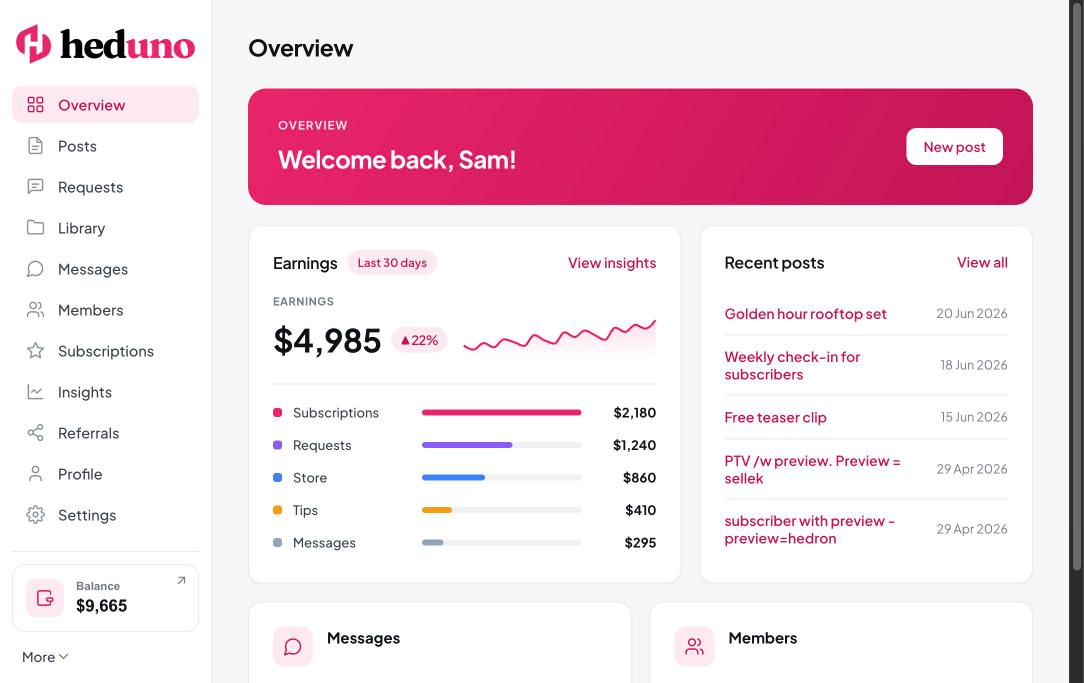
Your whole dashboard lives behind a single left-hand sidebar:
Overview · Posts · Requests · Library · Messages · Members · Subscriptions · Insights · Referrals · Profile · Settings
- Your balance widget sits at the bottom of the sidebar and opens Balance & Payouts.
- The More menu (very bottom) holds light/dark mode, Support, and Logout.
- Click any sidebar item to switch screens instantly.
One thing to know: Heduno doesn't use separate page addresses inside the dashboard, so your browser's back and forward buttons won't retrace your steps. Always use the in-app back links (e.g. "Back to Posts") to move backwards.
Your page and plan
Your public page lives at a yourname.heduno.com address. The Starter plan is free and lets you launch right away; the Max plan adds a custom domain and advanced tools.
Your first steps
- Confirm your email so we know it's really you.
- Claim your username — this becomes your page address, so choose carefully.
- Set up your profile — add a photo, bio, and details.
- Connect a payout method so you're ready to get paid.
Still need help?
Our support team is happy to assist.