
Create and price a subscription tier
Last updated: 2026-07-13
- Go to Subscriptions. The top of the page shows a subscriber-growth chart, and each tier card displays its current subscriber count.
- Click Edit on any tier.
- In the modal, set:
- Name
- Price (USD)
- Billing cycle (Monthly or Yearly)
- Description
- Click Save changes.
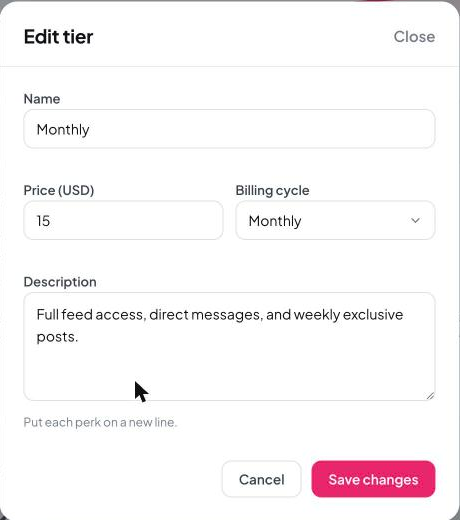
Tip: Put each perk on its own line in the description — that's how it displays to fans, so a clean list reads much better than one long paragraph.
Still need help?
Our support team is happy to assist.