
Add or update your payout (bank) details
Last updated: 2026-07-13
- Click your Balance widget (bottom of the sidebar) to open Balance & Payouts.
- Click Edit details.
- Choose your payout currency (USD, GBP, or EUR).
- Enter your banking details — the exact fields vary by currency (for GBP, a 6-digit sort code and 8-digit account number).
- Fill in the required personal and address details — first/last name, address, city, postcode/ZIP, and country (fields marked with an asterisk are mandatory).
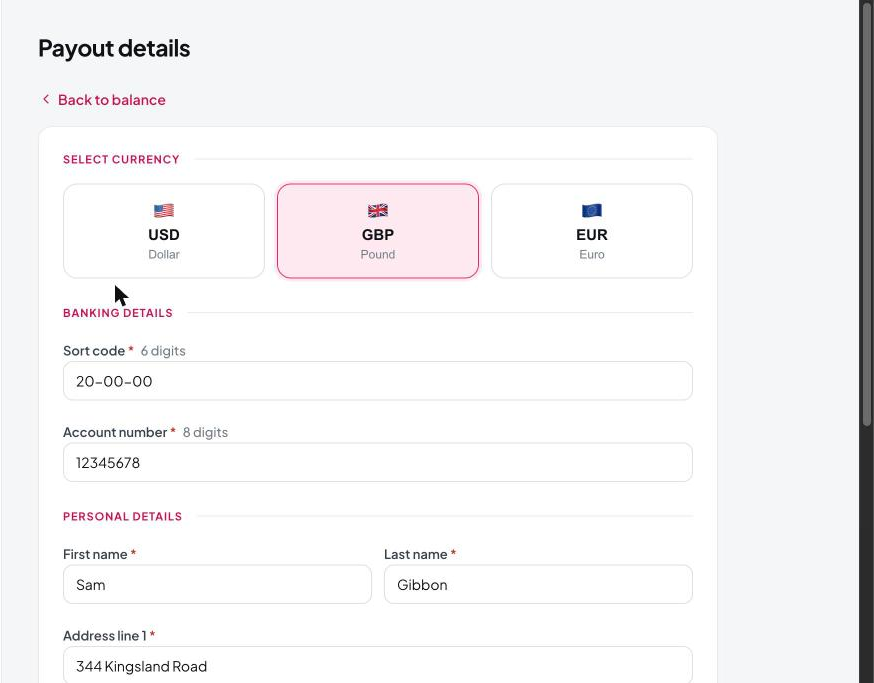
Make sure these match your bank records exactly to avoid delays or failed payouts.
Still need help?
Our support team is happy to assist.